
Every growing Shopify brand hits the same wall. You need to join order data with ad spend from Meta, fulfillment costs from your 3PL, and return rates from Loop, but Shopify's native reporting was never designed for cross-source analysis. Moving Shopify to BigQuery is the standard solution, and the connector question is solvable. But that's where most guides stop.
Raw Shopify objects in BigQuery are nested, unnormalized API tables that require transformation, modeling, and a semantic layer before any query produces a trustworthy answer. The real question is how quickly your team moves from raw warehouse tables to a data foundation your analysts, finance team, and AI tools can trust.
This guide covers all three methods for getting Shopify data into BigQuery in 2026, their honest trade-offs, and the post-ingestion work that separates a raw data dump from a certified analytics layer.
Is your data actually Decision-Grade?
9 questions. 3 minutes. Score your Profitability Visibility and Readiness for AI-driven growth.
Start Free Diagnostic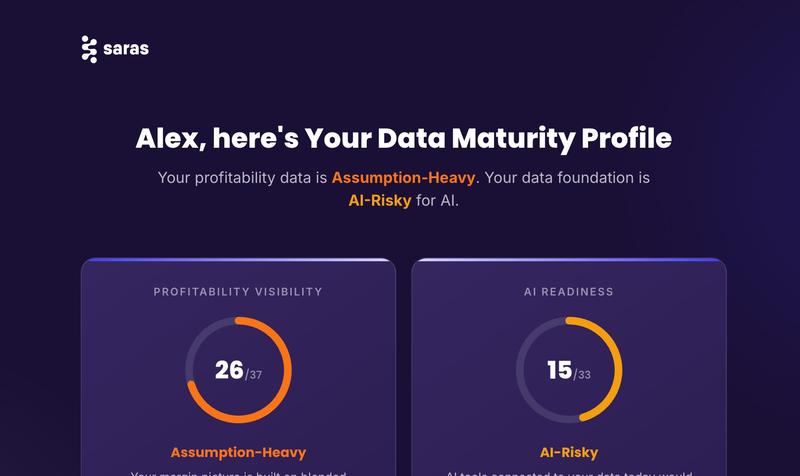
Why Move Shopify Data to BigQuery?
Shopify's built-in reports are designed for store operators, not data teams. They tell you what happened inside your store. They cannot answer the cross-source questions that growth-stage brands need: which ad campaigns drove the most profitable customers, how does customer lifetime value break down by acquisition cohort, what is the true contribution margin by SKU after returns and fulfillment costs.
Answering those questions requires joining Shopify order data with your ad platforms, returns tools, 3PLs, and finance systems. That only works in a data warehouse.
BigQuery is the most popular destination for this Shopify BigQuery integration for practical reasons. It is serverless with no infrastructure to manage. It integrates natively with GA4 and Google Ads. Looker Studio connects directly for visualization. BigQuery ML opens a path to predictive analytics without leaving the warehouse.
Method 1: BigQuery Data Transfer Service (Native Connector)
The simplest way to connect Shopify to BigQuery is Google's own native connector, available through BigQuery Data Transfer Service. It is a direct, no-code route from your Shopify store into BigQuery without any third-party tool or custom engineering.
As of April 2026, the connector is listed in Preview status. It is functional, but not yet at general availability. There is currently no charge for data transfer while it remains in Preview.
What it syncs
The connector supports GraphQL-based Shopify resources: Orders, Customers, Products, Variants, Inventory, Collections, Fulfillments, Refunds, Transactions, Abandoned Checkouts, and Metafields. Some objects have requirements — GiftCards require a Shopify Plus subscription, and certain app subscription data objects require a sales channel app configuration.
Setup
- In Google Cloud Console, go to BigQuery > Data Transfers > Create Transfer.
- Select Shopify as the data source, authenticate your store via OAuth.
- Set your transfer schedule (recurring or one-time).
- Choose the destination dataset.
- Select which data objects to include and submit.
Honest limitations
The native connector does not cover the full Shopify Admin API. Some fields and objects available through the API are not yet surfaced. Each data source requires its own independently configured transfer, so there is no unified pipeline management if you need to connect Shopify to BigQuery alongside Amazon, ad platforms, or a 3PL. Most importantly, raw Shopify objects land in BigQuery with nested structures that require significant cleaning before they are usable for analysis.
Watch for this signal: The connector is still in Preview. Preview features can have breaking changes, limited support, or be deprecated. Verify the current status at Google's documentation before committing to it for a production pipeline. If your data team needs stability guarantees, treat this as a prototyping tool, not a production foundation.
Best for: Teams already in Google Cloud who need a Shopify-only pipeline and are comfortable validating a Preview-status feature. Not the right choice for brands that also need Amazon, ad platform, 3PL, or ERP data flowing into the same warehouse.
Method 2: Managed ETL/ELT Tools
Managed ETL and ELT platforms handle the messy parts of building a Shopify data pipeline: API rate limits (40 requests per minute, 250 records per request), pagination, schema changes, backfills, and incremental load logic. For most teams, this is the most practical starting point.
Generic ETL tools: Fivetran, Airbyte, Stitch
Fivetran is the enterprise standard. Its Shopify connector covers the full Admin API data model (orders, customers, products, variants, inventory, collections, refunds, transactions, fulfillments, discount codes, abandoned checkouts) and creates a normalized schema in BigQuery with pre-built dbt transformation models available.
Airbyte is the open-source alternative: self-host for free or use Airbyte Cloud, with similar object coverage and a large connector library. Stitch is the lighter option with a free tier for limited data volume. All three handle Shopify BigQuery ETL for the core Shopify data model well.
Where generic tools fall short
Generic ETL tools cover Shopify and Google Ads without issues. Where they break down is the long-tail connectors that scaling omnichannel brands depend on. Amazon Marketing Cloud, Amazon Brand Metrics, 3PL systems like Extensiv and 3PL Central, ERP integrations, and niche regional platforms typically aren't in their connector catalogs.
Consider a DTC brand running Shopify plus Amazon plus Extensiv for warehouse management. Fivetran handles Shopify and maybe Amazon Seller Central. But Extensiv requires a custom script, and Amazon Marketing Cloud has no pre-built connector. That missing 30% turns a clean ingestion setup into months of custom engineering and manual CSV exports running alongside the automated pipeline.
Saras Daton: purpose-built eCommerce ELT
For eCommerce brands that need more than Shopify plus Google Ads, Saras Daton was built specifically to close the long-tail connector gap. With 200+ eCommerce data connectors, including exclusive connectors for Amazon Marketing Cloud, Extensiv/3PL Central, Awtomic, and a Connector Development Kit for custom sources, Daton covers the full Shopify data pipeline alongside every other source scaling brands depend on.
What makes it different for eCommerce pipelines:
- Replication speeds up to every 15 minutes when supported by the source API
- Pre-configured schema mapping so commerce data arrives in a consistent structure
- Table-level scheduling controls so high-priority sources sync more frequently
- Zero data retention after loading
Daton supports BigQuery, Snowflake, Redshift, and Azure as destinations.
Best for: Omnichannel eCommerce brands running across Shopify, Amazon, paid media, 3PL, and ERP where generic ETL tools would require custom connectors for 20-30% of data sources.
Method 3: Custom API Pipeline
Building a custom pipeline using Shopify's Admin API gives maximum control over which objects are extracted, how they are transformed, and when they land in BigQuery. This is the right choice when you have requirements no pre-built connector covers, or when you need event-driven real-time syncing via webhooks instead of scheduled batch updates.
What the custom approach involves
- Authenticate with Shopify's Admin API via OAuth and request the necessary scopes (read_orders, read_products, read_customers, read_analytics).
- Build retry logic and exponential backoff to handle rate limits (2 requests per second for standard stores, 4 for Shopify Plus).
- Handle cursor-based pagination across 35+ API endpoints.
- Convert nested JSON responses to BigQuery-compatible flat tables.
- Build incremental load logic for updates without full re-extraction.
- Plan for ongoing maintenance, because Shopify deprecates API versions regularly.
Honest verdict
Custom pipelines require ongoing engineering time to maintain. Every Shopify API change, rate limit adjustment, and schema update requires a pipeline update. Most eCommerce brands underestimate this maintenance burden. Start with a managed ETL tool and only build custom if you have specific requirements that no connector covers and engineering capacity to maintain the pipeline long-term.
What to Do After Shopify Data Lands in BigQuery (and why ingestion alone fails)
Getting raw Shopify objects into BigQuery is step one, not the finish line. The transformation and modeling work that comes next is where most of the time lives, and it is what separates a warehouse full of raw API tables from a foundation that produces trusted answers.
What raw Shopify data looks like
Raw Shopify data in BigQuery arrives as nested JSON structures. The orders table contains line_items as an ARRAY of RECORDs. Customer data is partially repeated across every order row. Refunds sit in a separate table with no pre-built join key back to original orders. Field names follow Shopify's API naming conventions, not your business terminology.
Consider an analyst who runs their first revenue query against this raw data. They sum the orders table's total_price field and report $2.1M for the quarter. Finance comes back with $1.74M. The gap: the analyst pulled gross revenue. Refunds, which sit in a completely separate table, were never subtracted. Discounts were embedded inside nested line_item records that were never flattened. The data was all there. The joins and business logic were not.
Watch for this signal: If your first BigQuery query on Shopify data returns duplicated rows or numbers that don't match Shopify's own reports, you are likely hitting unnested ARRAY fields. Line items, fulfillments, and discount allocations all need to be explicitly flattened before aggregation works correctly.
Four things that must happen before the data is useful
1. Flatten and clean nested structures. Shopify's GraphQL API returns nested JSON that lands in BigQuery as ARRAY and RECORD types. Line items, fulfillments, and refunds all need to be unnested into queryable flat tables.
2. Define revenue logic. Raw order data shows gross revenue. Your business needs net revenue after discounts, returns, and refunds. A return processed 45 days after the sale needs to be attributed back to the original order and restate that order's margin. This logic has to be explicitly modeled.
3. Join across sources. Shopify data alone does not answer the questions that justify building the Shopify to BigQuery pipeline in the first place. Joining order data with Meta Ads spend, Google Ads spend, Klaviyo email attribution, and 3PL fulfillment costs is where the analytical value lives. This requires consistent key mapping across every source.
4. Build a semantic layer. Even a well-modeled warehouse produces conflicting answers if different analysts use different definitions of "revenue," "CAC," or "returning customer." A semantic layer locks in certified business definitions so every query — whether from a BI tool, from SQL, or from an AI assistant — returns the same number for the same question.
.png)
The build vs. buy decision on data modeling
Custom dbt modeling to reach this state typically takes 2-4 months of a data engineer's time for a brand running across five or more data sources. True Classic turned 40+ disconnected tools into one intelligent data ecosystem using Saras, saving over 1,000 hours of manual work. Read the full case study →
Saras iQ provides pre-built eCommerce data models covering orders, customers, marketing attribution, contribution margin, and inventory, deployed on top of your BigQuery warehouse without custom engineering. The models are pre-joined, pre-cleaned, and semantically mapped, so the analytical layer is ready in days rather than months.
Once the data is modeled and a semantic layer is in place, the warehouse becomes queryable by AI tools. Saras' AI-ready data foundation is the certification layer that makes BigQuery data trustworthy for LLMs. With that foundation, you can connect Claude to your eCommerce data via Saras iQ MCP and query your Shopify to BigQuery data in plain English, with every answer traceable to the certified data model underneath.
How to Choose: Shopify to BigQuery Method Comparison
The right Shopify BigQuery integration method depends on three things: how many data sources you need beyond Shopify, your team's technical capacity, and whether you need near-real-time syncing or daily batch updates.
| Dimension | Native BigQuery Connector | Fivetran / Airbyte / Stitch | Saras Daton | Custom API Pipeline |
|---|---|---|---|---|
| Setup effort | Low (no-code, ~15 min) | Low–Medium (managed, config-based) | Low–Medium (managed, eCommerce-configured) | High (weeks of engineering) |
| Shopify object coverage | GraphQL resources (Preview) | Full Shopify Admin API coverage | Full Admin API + eCommerce-specific schemas | Full API coverage (whatever you build) |
| Beyond-Shopify connectors | None | Major platforms (gaps for long-tail eCommerce) | 200+ eCommerce-specific connectors | Whatever you build and maintain |
| Sync frequency | Scheduled (hourly/daily) | Hourly standard | Up to every 15 minutes, with table-level scheduling | Real-time possible via webhooks |
| Transformation included | None | dbt models available (Fivetran) | Pre-configured eCommerce schema mapping | Whatever you build |
| Shopify → BigQuery ETL cost | Free during Preview | $100–$2,000+/month depending on volume | Custom pricing | Engineering time + infrastructure |
| Best for | Shopify-only use cases, prototyping | Shopify + major ad platforms | Omnichannel eCommerce (Shopify + Amazon + 3PL + ERP) | Unique requirements no connector covers |
For most Shopify-only setups, the native connector or Stitch is the fastest starting point. For brands running across Shopify Plus, Amazon, paid media, and 3PL systems, Daton provides the connector depth that generic ETL tools miss. And for every method, the post-ingestion modeling work is what separates a raw data dump from a trusted analytics foundation.
Conclusion
Moving Shopify to BigQuery is the right call for any brand that has outgrown native Shopify reporting. The connector question is solvable. The harder, higher-value work is everything that comes after: cleaning nested schemas, defining business metrics, joining cross-source data, and building the semantic layer that makes every query trustworthy.
Saras iQ provides the pre-built eCommerce data models that skip months of custom dbt work. Saras iQ MCP makes that certified data queryable in plain English. Talk to our data consultants about building a Shopify to BigQuery foundation your whole team can trust.

.svg)
.webp)
%201%20(1).svg)



















.jpg)

%20Statistics%20in%202026.jpg)




%20Software%20for%20DTC%20Brands%20in%202026.png)




%20Setup%20Guide%20for%20Ecommerce%20Finance%20Team.png)






















.webp)

.webp)
.webp)
.webp)
.webp)